How to play GeoGuesser: your first round
Learn a complete first-round routine: read signs, use the compass, search the map, place a pin and review mistakes with a practical worksheet.
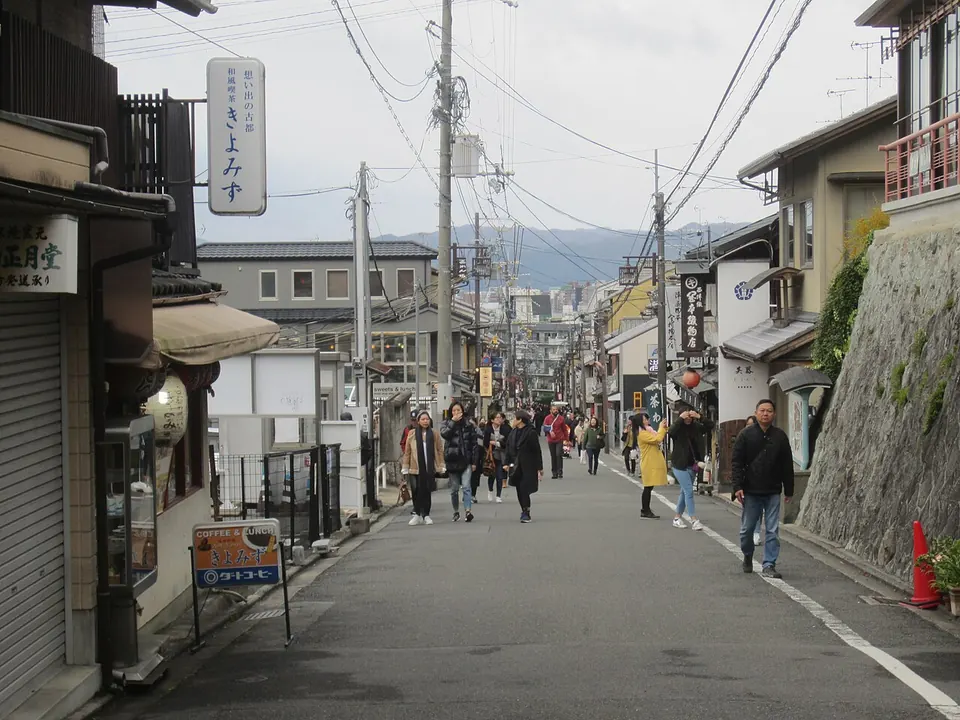
_-_252.jpg)
Start with one manageable goal
Your first goal is to make a reasoned guess, not to pinpoint every street. Open the street-view game, start a round using the embedded game’s controls, and give yourself time to explore. Menus and mode names belong to OpenGuessr and may change.
On a desktop, drag the scene to look around. Use the movement and zoom controls if the selected mode allows them. On a phone, use the touch controls offered by the game. If movement is disabled, work with the scene you have rather than assuming the game is broken.

Look around before opening the map
Take a full look around your starting point. Notice the road, nearby buildings, vegetation and any readable signs. A large city name or road number can be more useful than a distant mountain. Zoom in on an existing sign before spending time moving at random.
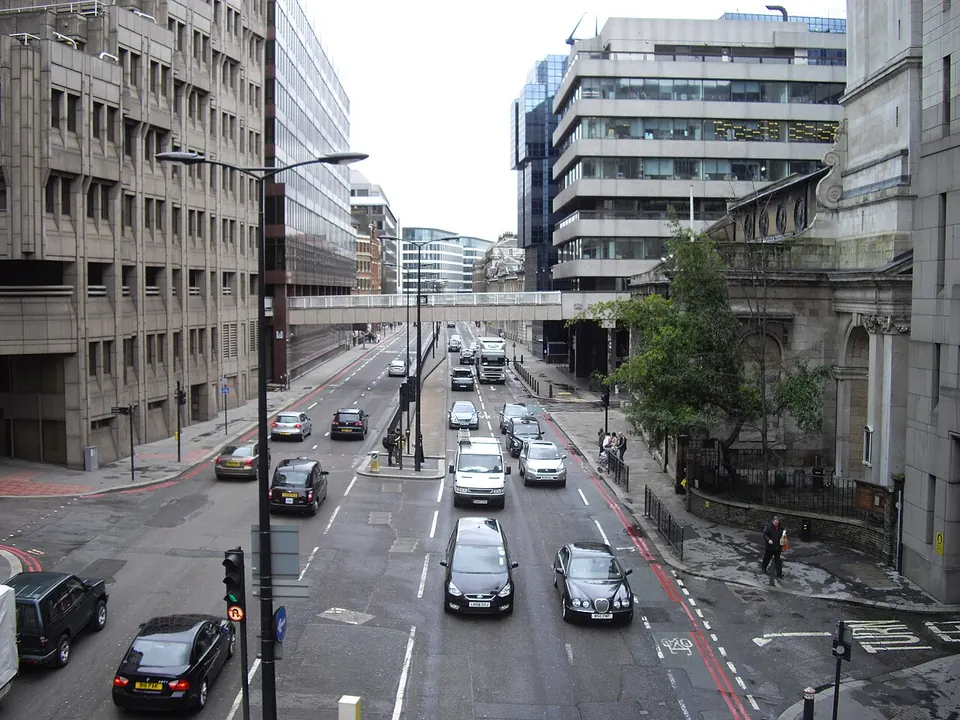
Ask a short sequence of questions: does this look urban or rural? What writing system can I see? Which side of the road does moving traffic use? Do several details support the same broad region? Roadside parking alone can mislead you about driving direction.
Build a guess from independent clues
Imagine a round with Japanese writing on a shop sign and vehicles travelling on the left. Japanese writing is a useful country clue, while left-side traffic supports it. Either clue seen unclearly deserves caution. A single car, imported sign or restaurant name is weaker evidence than several signs across the scene.
Now imagine you only see greenery and a narrow road. Those details fit many countries. Keep the candidate area broad and search for a more distinctive sign, route marker or place name. You are collecting evidence, not trying to force every landscape into a country you remember.

Place a pin and confirm
Open the in-game map and zoom to your candidate area. Place a pin, adjust it if you find more evidence, and use the game’s confirmation control. Check the marker’s actual position before confirming; it is easy to tap the wrong place on a small screen.
If you know the country but not the town, make an honest approximate guess. Scoring and distance displays depend on the game and mode. A result close to the right country is still useful feedback even when it is far from the exact road.
Use the compass to match a road
The scene’s viewing direction and the map’s orientation are different pieces of information. Google’s Street View instructions explain looking around, using the compass and following movement arrows. In a game, use the controls actually supplied by that provider; the buttons need not be in the same position as Google Maps.
A practical method is to face along the road, note its approximate compass direction, then look for a road with the same orientation near your candidate town. Check a bend, junction or railway crossing as a second match. A north–south road by itself is common; a matching sequence of road features is more discriminating. Turning the camera does not mean that the road itself has changed direction.
Search the map from large clues to small ones
Use a hierarchy: country or region, named town, numbered route, then the local junction. A tiny shop name is hard to find on a world map, while a major destination can suggest where to begin. Keep the wording you actually read separate from a guessed translation.
When a direction sign lists a city, it usually points towards that destination; it does not establish that you are already in the city. If two destinations appear in different directions, compare their positions on the map and investigate the connecting roads. Only zoom to street level once the larger geography makes sense.
Read the photographed sign as evidence
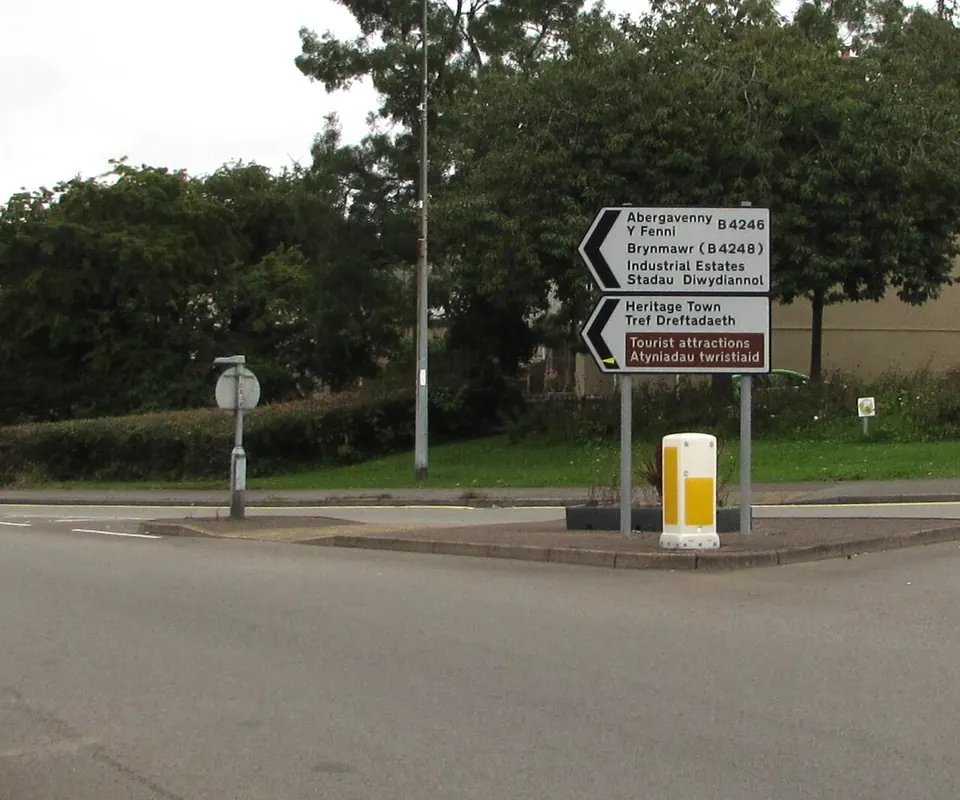
The country-clues article’s cover photograph is from Blaenavon, Wales, according to its linked image source. The sign visibly pairs “Abergavenny” with “Y Fenni” and includes B4246; another destination has B4248 in brackets. This gives you specific text and road identifiers to investigate after a round, rather than a vague impression of green countryside.
It still does not give you a house number or prove the photographed road is exactly at a named town centre. Record what is visible, then test the position against the junction. This is an analysis of the published photograph, not a claimed result from a live game.

Try a three-minute practice routine
The following is a suggested exercise, not an OpenGuessr rule or a proven fastest training plan. In a mode whose timer you can choose, reserve roughly the first half-minute for a full look around. Spend the next minute finding a readable sign or checking your strongest clue. Use the next minute to compare candidate areas on the map, and leave the final half-minute to verify the pin and submit.
If the timer is fixed, adapt the sequence instead of trying to change the rules. If you have no readable text, stop repeatedly checking the same blurred sign and use the road layout, driving direction and environment. The purpose is to make sure map placement and confirmation get some time too.
Keep a review log that changes your next guess
| Record after the reveal | Example of a useful note |
|---|---|
| Observation | I could see two scripts, but only recognised one |
| Assumption | I treated all Cyrillic as Russian |
| Result | My country choice was wrong; the exact town is secondary |
| Next exercise | Compare writing samples from two plausible countries |
This worksheet is a suggested learning tool, not a report of someone’s game. Track whether an error came from country recognition, finding a town, or placing the pin. Those need different practice. Looking at ten new country guides will not fix a pin dropped on the wrong side of a junction.
Use reference material after the result when playing official GeoGuessr: its fair-play guidance prohibits external assistance during a game, including search engines, maps and AI tools. A guide is useful preparation and review material; it is not an instruction to look up the current competitive round.
Turn the result into a lesson
Compare your guess with the revealed location. Write down one clue you missed and one clue you misread. If the answer was in the same broad region, focus on what would separate those two countries. If it was on another continent, revisit the assumption that eliminated that continent.
For your next few rounds, practise the same routine: look around, find a readable clue, cross-check it, place a pin, and review. Our country clues guide introduces the next layer. The country-size game can also help you become more familiar with country names and relative areas, although area knowledge alone will not identify a street.
Common beginner mistakes
Do not treat the sun as a guaranteed hemisphere detector: season, time of day and tropical locations complicate the rule. Do not assume every country has the same street-view coverage. And do not search for one universal score target; focus on making your reasoning more reliable from round to round.
Frequently asked questions
Do I need to know every country before playing?
No. Start with broad regions and learn a few useful distinctions from each result.
Why can’t I move along the road?
Some modes restrict movement, and some panoramas have no connected route. Check the selected mode and available controls.
What should I do with two destinations on one road sign?
Record the names and arrow directions, compare the destinations on the map, then check the connecting roads and junction. A destination is not necessarily your current town.